How to Move Office Equipment Safely During a Business Relocation
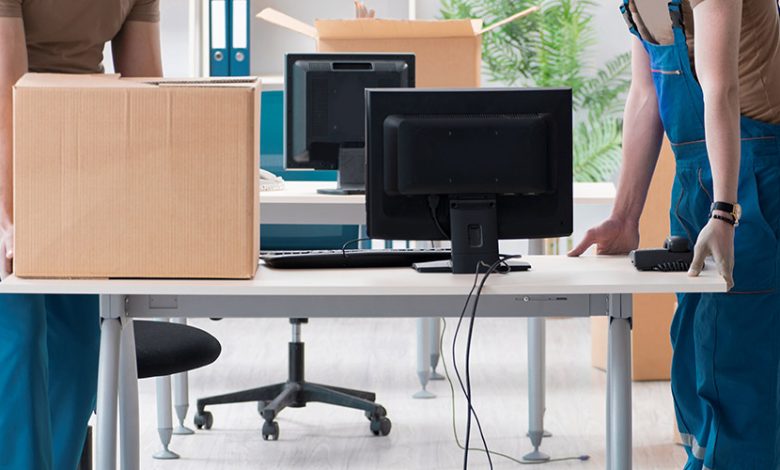
Office equipment is valuable, sensitive, and often essential for daily operations. Computers, monitors, printers, servers, phones, scanners, meeting room screens, and networking devices must be moved carefully. If equipment is damaged or misplaced, a business can lose time, money, and productivity.
This is why business Relocations need proper planning and experienced Commercial Removalists. A professional Removalist who understands office moves can help protect equipment and reduce downtime. The right Moving company will not treat office equipment like ordinary furniture. It will use safe handling methods, labelling, and organised transport.
Whether a business is Moving to a larger office, shifting to a smaller workspace, or relocating departments in stages, professional Moving Services can help manage the process safely.
Begin With an Equipment Audit
Before packing begins, create a list of all equipment that needs to be moved. This may include computers, monitors, printers, phones, routers, servers, projectors, security systems, and backup drives.
An audit helps the business understand what is being moved, what should be replaced, and what can be recycled. It also helps the Moving company prepare for the job.
For larger offices, each department should create its own equipment list. This keeps the process organised and reduces the chance of missing items.
Identify Priority Equipment
Some equipment must be operational immediately after the move. This may include computers for key staff, internet equipment, payment systems, customer service phones, or servers.
Mark these items as priority so Commercial Removalists know they require careful placement and quick access at the new location.
Back Up Data Before Moving
Data protection is one of the most important steps before an office move. Physical equipment can be replaced, but lost data can create serious problems. Before Moving any computers or servers, make sure important files are backed up.
The IT team or service provider should handle backups, disconnections, and reconnections. Movers can transport equipment, but they should not be responsible for data security.
A professional Removalist can coordinate with the IT team to ensure items are moved at the right time and placed correctly at the new office.
Label Cables and Devices
Cables can become confusing during business Relocations. Power cords, monitor cables, network cables, phone lines, and charger cables can easily get mixed up.
Before disconnecting equipment, label each device and its cables. Taking photos of each workstation setup can also help during reconnection. Place cables in labelled bags and keep them with the matching equipment where possible.
This simple step can save hours when setting up the new office.
Use Proper Packing Materials
Office equipment should not be placed loosely into boxes. Monitors need screen protection. Computers need padding. Printers should be secured properly. Small devices should be packed in labelled boxes.
If original boxes are available, use them. If not, ask your Moving Services provider whether they can supply suitable packing materials.
Commercial Removalists often use padding, crates, and careful loading methods for office equipment. This reduces the risk of impact damage during transport.
Avoid Overloading Equipment Boxes
Heavy equipment boxes can become unsafe to carry. Keep weight manageable and avoid stacking fragile electronics under heavier items.
A good Moving company will understand how to load sensitive equipment safely inside the truck.
Plan the New Office Layout
Safe moving does not end with transport. Equipment must be placed correctly at the new location. Before moving day, prepare a layout showing where desks, computers, printers, meeting room screens, and network equipment should go.
This helps the Removalist place items in the right area during unloading. It also helps IT teams reconnect systems faster.
Without a layout, equipment may be placed randomly, causing delays and frustration.
Coordinate With IT Providers
If your business uses external IT support, involve them early. They may need to disconnect systems before the move and reconnect them after delivery. They may also need to test internet, phones, printers, and security systems.
Commercial Removalists can manage physical transport, but IT providers manage technical setup. Both should work from the same schedule.
This coordination is especially important if the business needs to reopen quickly.
Protect Confidential Equipment and Files
Some equipment may contain sensitive data. Laptops, servers, hard drives, and file storage devices should be handled carefully. Decide who is responsible for these items and whether they should be transported separately.
For businesses with strict privacy requirements, certain items may need to stay with authorised staff rather than being packed with general office furniture.
A professional Moving company can support secure handling, but the business should set clear rules before the move.
Schedule the Move to Reduce Downtime
Office Moving should be scheduled around business needs. Some companies move after hours or over weekends. Others move in stages so key departments remain operational.
Commercial Removalists can help plan the timing, but the business must decide which operations are most important. For example, customer service systems may need to be restored before storage rooms or meeting spaces.
Good planning reduces downtime and helps staff return to work faster.
Test Equipment After Delivery
Once equipment arrives at the new office, inspect it before full setup. Check for visible damage, missing cables, and correct placement. IT teams should then test systems, internet, phones, printers, and shared devices.
If anything appears damaged, contact the Moving company quickly. This is why having an inventory and photos is useful.
Final Thoughts
Moving office equipment safely requires planning, careful packing, clear labelling, and coordination between movers and IT teams. A professional Removalist can handle the physical move, but the business must prepare properly.
Experienced Commercial Removalists understand that business Relocations are time-sensitive. The right Moving Services can protect equipment, reduce downtime, and help staff return to work quickly.
Choose a Moving company that has commercial experience and communicates clearly. Office equipment is too important to leave to chance.